Custom stencil cutting

Stencil Studio

Durable, clean-cut stencils for signs, walls, packaging, floors, events, and repeat-use brand marking.

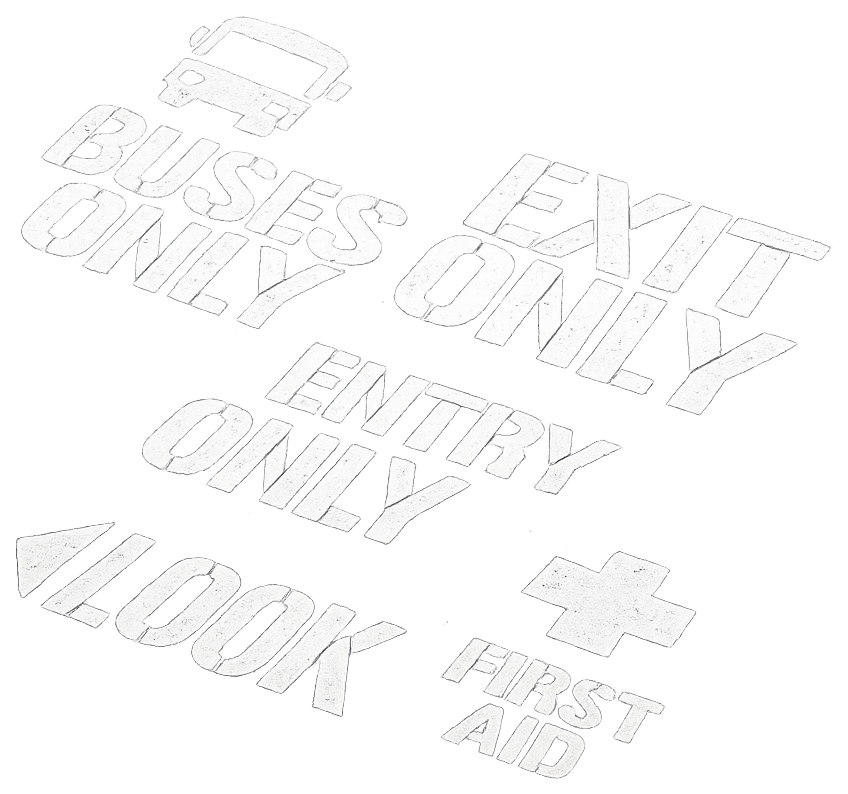
Painted stencil examples: buses only, exit only, entry only, look, first aid

Instant estimate

Design it, preview it, price it.

Change any option on the left and watch the stencil and price update live.

Extras
600 x 400 mm

Stencil types

Made for practical, repeatable marking.

Brand and logo stencils

For packaging, crates, walls, counters, events, and repeat-use promotional work.

Floor and safety marking

Bold stencil layouts for warehouses, workshops, parking areas, and site instructions.

Decorative painting

Patterns, lettering, borders, and feature-wall designs cut for clean paint edges.

Industrial labels

Asset numbers, bin labels, product codes, and repeatable marking systems.

Industries

Custom stencils for every industry.

Whether you need one stencil or hundreds, we manufacture durable custom stencils for businesses, councils, manufacturers, schools, contractors, and individuals throughout New Zealand.

Industrial & Manufacturing

Uses
  • Asset Identification
  • Machine Labelling
  • Production Lines
  • QA Inspection
  • Pipe Marking
  • Electrical Cabinets

Control Panels • Forklifts • Tanks • Chemical Drums • Gas Cylinders • Plant Equipment • Maintenance Marking • Safety Identification

Warehousing & Logistics

Uses
  • Warehouse Locations
  • Bin Numbers
  • Pallets
  • Export Crates
  • Shipping Containers
  • Racking

Shelving • Inventory Control • Loading Bays • Dispatch Areas • Storage Systems • Freight Identification

Timber & Forestry

Uses
  • Wooden Pallets
  • Timber Packs
  • Forestry Products
  • Wine Barrels
  • Export Packaging
  • IPPC / ISPM 15

Logging • Wooden Cases • Produce Bins • HT Marks • FTMA Identification

Construction & Civil

Uses
  • Concrete Marking
  • Formwork
  • Survey Marks
  • Utility Marking
  • Scaffolding
  • Site Safety

Brickwork • Roofing • Drainage • Civil Infrastructure • Temporary Works

Road Marking & Safety

Uses
  • Car Parks
  • Parking Bays
  • Disabled Symbols
  • Directional Arrows
  • Warehouse Floors
  • Playground Markings

Factory Floors • Hazard Areas • Emergency Assembly Points • School Grounds • Stormwater Drains • Traffic Management

Marine, Automotive & Transport

Uses
  • Boats
  • Marine Equipment
  • Fleet Vehicles
  • Race Cars
  • Trailers
  • Vehicle Branding

Dinghies • Kayaks • Toolboxes • Flight Cases • Road Cases • Equipment Identification

Retail, Hospitality & Events

Uses
  • Company Logos
  • Window Displays
  • Footpath Advertising
  • Event Branding
  • Coffee Stencils
  • Weddings

Chalkboards • Promotional Campaigns • Restaurant Branding • Trade Shows • Exhibitions

Fabric, Canvas & Textile

Uses
  • Canvas
  • Tarpaulins
  • Horse Covers
  • Marquees
  • Bulk Bags
  • Safety Vests

Saddlery • Upholstery • Tablecloths • Wet Weather Gear • Towels • Leather • Kevlar • Sail Bags

Arts, Crafts & Decorative

Uses
  • Wall Art
  • Furniture
  • Airbrushing
  • Pottery & Ceramics
  • Home Décor
  • T-Shirts

Resin Art • Scrapbooking • Card Making • Decorative Panels • Christmas Decorations

Specialty & Custom Stencils

Uses
  • QR Codes & Barcodes
  • Company Logos
  • Lettering & Number Sets
  • Sandblasting
  • Glass Etching
  • One-Off Custom Designs

Engraving Guides • Routing Templates • Drilling Templates • Multi-Layer Stencils

One stencil or a hundred — price yours in the quote builder.

Build a quote

Materials

Choose the right stencil for the job.

Mylar

Flexible, washable, and reusable for paint, ink, and spray work.

Polypropylene

Lightweight and economical for bigger runs and simple layouts.

Rigid sheet

Acrylic or composite options for flat, durable, repeated positioning.

FAQ

Artwork upload requirements.

The short version: upload your SVG or DXF and check the live preview — what you see in the preview is what we cut. The website automatically repairs the most common file problems and adds stencil bridges for you. The rules below help your file preview correctly first time.

Rules for every file (SVG and DXF)
  • Vector artwork only. The file must contain real path geometry. Photos and embedded bitmap images cannot be cut and are removed from the preview.
  • Closed, connected outlines. Every cut-out must be a closed shape. Shapes with tiny gaps may cut ragged — we auto-close small gaps, but clean files cut best.
  • Single-colour silhouette. Everything is cut as one colour. Artwork that relies on colours, gradients or white-on-black overlaps is flattened to a plain silhouette — exactly as the preview shows it.
  • Mind loose islands. Any enclosed piece (the middle of an O, a ring centre, a panel inside a border) falls out when cut unless it is bridged. Leave “Add stencil bridges” ticked and the website bridges these automatically; we confirm placement before cutting.
  • Minimum feature size. Keep strokes, slots and gaps at least 1 mm wide on mylar and polypropylene, and 2 mm on rigid acrylic or aluminium, at the final stencil size. Bridges should be 2.5–6 mm.
  • Tell us the real size. Set the stencil width and height on the quote form — artwork is scaled to fit, and all minimums are checked at that final size.
SVG files
  • Convert text to outlines/paths before saving (Illustrator: Type → Create Outlines; Inkscape: Path → Object to Path). Live text is drawn with substituted fonts and will not match your design exactly.
  • Expand strokes that represent shapes. A stroked line previews as a thin slit cut. If a thick outline is meant to be a cut shape, outline/expand the stroke to a filled path.
  • Plain SVG 1.1, one design per file. No linked external images, fonts or stylesheets — scripts and embedded bitmaps are stripped automatically.
  • Donut/ring shapes should use compound paths (even-odd fill) so the preview reads the holes correctly.
DXF files
  • Supported entities: LINE, CIRCLE, ARC, LWPOLYLINE and POLYLINE. Explode SPLINEs, ellipses, blocks/inserts and hatches into polylines before export (most CAD packages: EXPLODE, then FLATTEN).
  • No TEXT/MTEXT entities — convert lettering to outlines in your CAD or design program.
  • ASCII DXF, R12/R14 export, millimetre units, 1:1 scale, drawn flat in the XY plane.
  • Closed shapes should have the closed flag set (or ends meeting) — a closed path means the material inside it drops out; open paths cut as slits.
  • A rectangle drawn around the whole design is treated as the sheet edge, not a cut.
What our website fixes for you automatically
  • Joins loose line segments into connected shapes and closes near-closed loops.
  • Removes duplicate and zero-length lines (prevents double-cutting).
  • Detects every loose island and adds bridges (2.5–6 mm, scaled to your stencil size).
  • Flattens colours to the cut silhouette and strips anything that cannot be cut.

Anything the automatic repair changes is listed under the preview. If your file needs work beyond this — splines, text conversion, redrawing from a photo — choose Layout cleanup on the quote form and we will prepare it for you.

Material minimums at a glance
Material Thickness Min feature Min bridge
Reusable mylar0.25 mm1.0 mm2.5 mm
Polypropylene0.6 mm1.2 mm2.5 mm
Rigid acrylic3 mm2.0 mm4.0 mm
Aluminium composite3 mm2.0 mm4.0 mm

Not sure your file qualifies? Upload it anyway — the preview and its notes will tell you, or email it to admin@thelasershop.co.nz and we will check it for free.

Send a job

Tell us what you need cut.

Landline
09 576 0006
Mobile
+64 21 043 7743 Texting only
Email
admin@thelasershop.co.nz
Address
141 Cascades Road,
Pakuranga Heights,
Auckland 2010